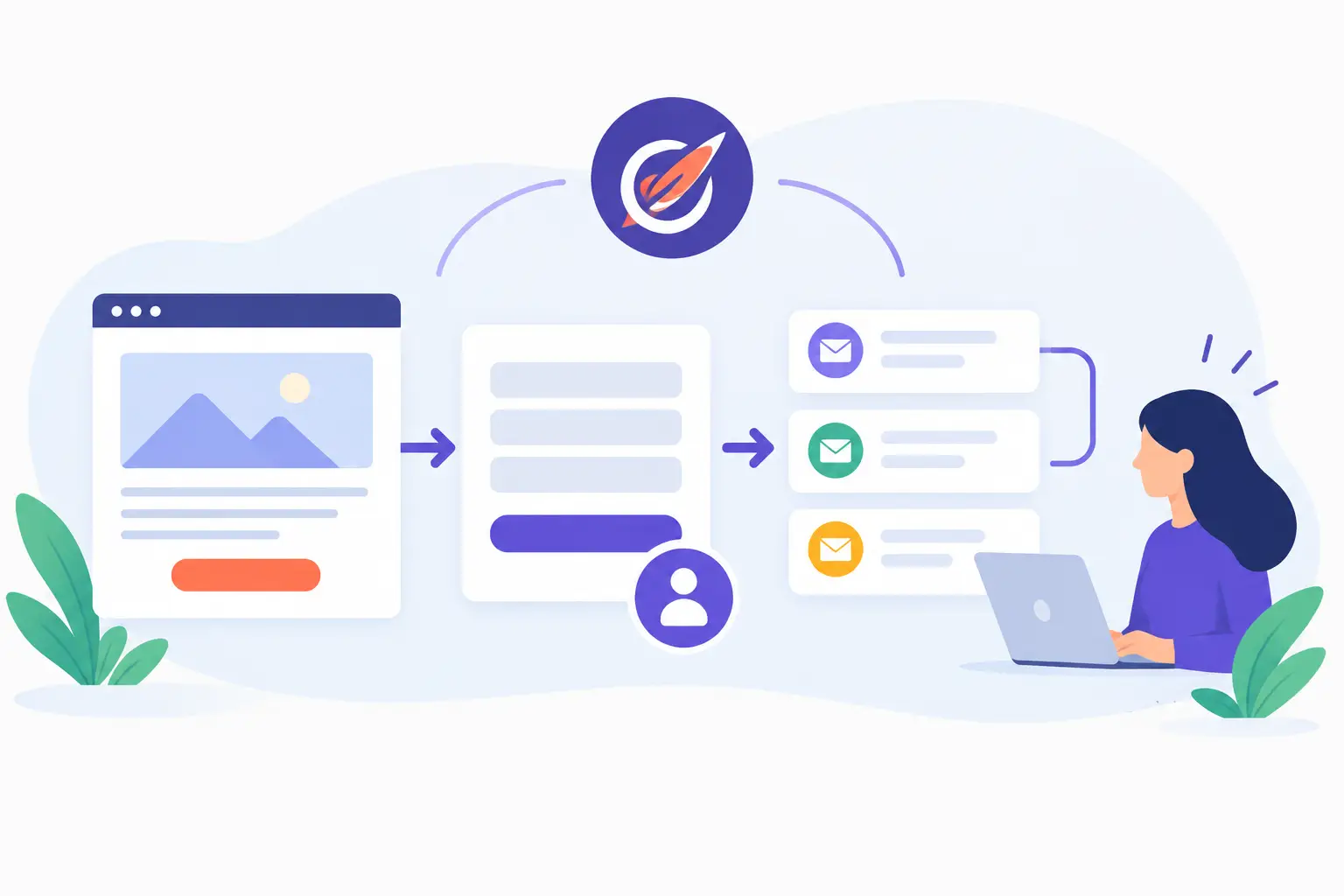
A campaign can attract the right prospect and still fail at the handoff. A visitor submits a form, the details sit in a generic contact list, and no one knows whether sales followed up. Learning how to connect landing pages, lead capture forms, and follow-up with EngageBay turns that fragile handoff into a defined operating process - one your team can monitor, improve, and maintain.
For small and mid-sized businesses, the goal is not to build a complicated automation system. It is to make sure every qualified inquiry reaches the right person with enough context to take useful action. That starts before anyone builds a page or writes an email.
Start with the lead journey, not the page design
Map what should happen from the moment a visitor arrives through the first meaningful sales conversation. A landing page, a form, and a follow-up sequence are connected parts of one process. When they are configured separately, teams commonly collect incomplete data, send generic responses, or create duplicate records that make reporting unreliable.
Begin with the campaign's purpose. A product demo request needs a different response than a newsletter signup or a downloadable guide. Define the conversion event, the information needed to qualify the lead, the owner of the next action, and the expected response time.
For example, a company offering managed IT services may use a landing page for a network assessment. Its form might capture company size, current environment, phone number, and the issue the prospect wants to address. That information should determine whether the contact receives an immediate scheduling option, enters a short education sequence, or is assigned to a sales representative for direct outreach.
This planning also keeps the form focused. Ask only for information your team will use. Every extra field can reduce completion rates, but forms that are too short may force staff to chase basic qualification details later. The right balance depends on the value and complexity of the offer.
Build the landing page around one decision
EngageBay landing pages work best when each page supports one campaign objective. Avoid sending visitors to a page that asks them to read about several services, choose among multiple offers, and complete a broad contact form. A clear page gives the visitor one next step and gives your team a cleaner signal about intent.
Use a direct headline that matches the source of the traffic. If an email promotes a consultation, the landing page should continue that exact conversation. Explain the practical outcome, identify who the offer is for, and make the call to action specific. "Request an assessment" is more useful than "Submit."
Place the lead capture form where visitors can find it without hunting for it. For longer pages, repeating the same call to action can be appropriate, especially when the offer requires explanation. Keep the page consistent with your company identity, but do not let visual polish delay the campaign. The content, routing, and follow-up logic matter more than decorative elements.
Before publishing, test the page on desktop and mobile devices. Check that the form fields display correctly, required fields work as intended, confirmation messaging appears, and submissions reach the expected contact record. A page can look complete while failing at the point that matters most.
How to connect landing pages, lead capture forms, and follow-up with EngageBay
The connection should be configured in a deliberate order: establish the data structure, attach the form to the landing page, then build the automation that acts on the submission. This order reduces rework and helps preserve reliable reporting as campaigns expand.
Set up the fields that will support both sales action and reporting. Standard contact information is usually enough for low-commitment offers. For higher-value inquiries, consider fields such as business type, team size, service interest, budget range, location, or implementation timeline.
Use naming conventions that your sales and operations teams can understand later. A field labeled "Service Interest" is easier to maintain than a campaign-specific abbreviation. Decide how a new contact will be classified in EngageBay: new inquiry, marketing-qualified lead, sales-qualified lead, customer, or another status that reflects your process.
Also determine how to handle existing contacts. If a current contact completes the form, you may want to update the record, apply a campaign tag, and notify the account owner rather than create another sales task. This is one of the most common areas where a simple setup can create avoidable confusion.
Build the lead capture form in EngageBay using the fields you defined. Require only what is necessary to process the request. Include consent language and any privacy-related disclosures required by your organization and applicable regulations, particularly if the form enrolls a contact in marketing communications.
Connect each submission to a campaign-specific tag, list, or both. Tags are useful for identifying the offer or traffic source, while lists can support audience management and email permissions. Your exact approach depends on how your team uses EngageBay, but the important point is consistency. If every campaign uses a different informal convention, segmentation and reporting become difficult to trust.
Add a clear confirmation message or thank-you page after submission. This should acknowledge the request and set an honest expectation. If a representative will respond within one business day, say so. If the prospect can schedule immediately, provide that option in the next step of the experience.
3. Place the form on the landing page and test the record
Add the form to the relevant landing page, then submit a test entry using an email address your team can access. Verify more than whether the page accepts the form. Open the resulting contact record and confirm that fields, tags, source information, and subscription preferences were captured correctly.
Test with a new contact and, if relevant, an email address already in your database. This reveals whether your update rules work as intended. It also helps prevent a customer or previously qualified prospect from receiving a generic introductory sequence designed for first-time visitors.
Create an automation that starts when the form is submitted or when the campaign tag is applied. The first customer-facing response should arrive promptly and should match the commitment the visitor made. A demo request deserves confirmation and a direct path to scheduling. A guide download may need a delivery email followed by practical education over several days.
At the same time, create the internal action. Depending on your process, EngageBay can notify a designated owner, create a follow-up task, assign the contact, or update the deal stage. Do not rely only on an automated email when a sales conversation is expected. Automation can confirm receipt, but accountable ownership is what prevents qualified leads from being missed.
Set a realistic response standard. For high-intent requests, a same-business-day response is often appropriate. For lower-intent campaign leads, a timed nurture sequence may be more suitable. The trade-off is simple: aggressive follow-up can feel intrusive, while slow follow-up allows interest to cool.
5. Build follow-up around behavior and intent
A useful follow-up sequence responds to what the prospect does next. If the contact opens the confirmation email, visits a pricing page, or requests a meeting, that activity can justify a more direct sales action. If they do not engage, send helpful material that addresses the problem behind the offer rather than repeating the same call to action.
Keep the sequence short enough to remain relevant. For many business-to-business campaigns, three to five messages can provide value without overwhelming the recipient. Include practical content such as a checklist, implementation considerations, common planning mistakes, or a brief case-based example. The best timing and message count depend on the buying cycle, offer value, and audience familiarity with your service.
Put measurement and maintenance into the process
A connected campaign needs ongoing review. At minimum, monitor visits, form conversion rate, completed submissions, lead response time, meeting creation, and movement to qualified opportunities. Form submissions alone can create a misleading picture if the leads are not relevant or if sales cannot reach them.
Review these numbers with the people responsible for marketing, sales, and operations. A low conversion rate may point to a weak offer, unclear landing page copy, slow page performance, or an overly demanding form. A strong conversion rate with poor qualification may indicate that the targeting or promise needs adjustment.
Use a simple maintenance checklist whenever a campaign changes:
- Confirm the landing page and form still reflect the active offer.
- Verify the confirmation email, notifications, and task assignments are active.
- Test one submission after major edits or platform changes.
- Review tags, lists, and custom fields for duplicate or outdated values.
- Check that sales owners are completing follow-up tasks on time.
This maintenance work is not administrative overhead. It protects the value of the campaign and gives your team confidence that customer requests are being handled responsibly.
A platform such as EngageBay can make the process easier to manage, but the technology cannot decide what a qualified lead means, who owns the response, or how quickly your business should act. MBH Web Services helps organizations approach those implementation decisions as part of an ongoing operating process, not a one-time software setup.
The most useful next step is to choose one active offer, trace its current path from click to first sales contact, and test it as a prospective customer would. The gaps you find there will usually show you exactly where the process needs attention.